High-quality audio capture has become essential as podcasting, home recording, music production, and content creation continue to grow worldwide. According to Fortune Business Insights, the global audio interface market is projected to grow at over 7 percent annually, driven by the rapid rise of independent creators, remote production workflows, and home studio setups. This growth reflects a broader shift in how audio content is produced, with creators increasingly relying on compact and reliable recording hardware instead of traditional studio-only environments.
The importance of audio interfaces has also increased as modern music production moves beyond large commercial studios. According to the International Federation of the Phonographic Industry (IFPI), more than 65 % of new music releases today involve home studios or hybrid project studio setups at some stage of production. This shift highlights the need for dependable audio hardware that can deliver clean vocals, detailed instrument recordings, and consistent sound quality without relying on expensive studio infrastructure.
Modern audio interfaces are engineered to deliver low-latency performance, accurate sound reproduction, and broad compatibility with popular recording software. Whether recording vocals, instruments, podcasts, or streaming live content, the right interface ensures clarity, depth, and reliability across different recording environments. From compact portable models to advanced multi-input systems, audio interfaces continue to play a central role in helping creators achieve studio-quality sound wherever they create.
Factors to Consider When Choosing an Audio Interface
1. Sound Quality
Sound quality is the most important factor when choosing an audio interface because it directly affects how accurately vocals and instruments are captured during recording. High-quality microphone preamps provide clean and stable gain without introducing unwanted noise, hiss, or distortion.
This ensures that recordings remain clear and detailed even when using dynamic microphones or recording softer sound sources that require higher gain levels. Clean preamps are especially important for vocals, acoustic instruments, and spoken-word content, where any background noise or harshness can be easily noticeable.
Balanced sound reproduction plays a key role in preserving the natural tone and dynamics of a performance. Audio interfaces with well-designed analog-to-digital converters translate incoming signals with high precision, maintaining clarity, depth, and accurate frequency response.
This allows subtle details such as vocal texture, instrument resonance, and ambient nuances to be captured faithfully. Accurate conversion also helps creators make better mixing and editing decisions because what is heard during monitoring closely matches the recorded signal.
Consistent sound quality across different gain levels improves long-term usability and workflow efficiency. Interfaces that maintain clarity when recording quietly or at higher input levels reduce the need for heavy post-processing, noise reduction, or corrective equalization.
This not only saves time during editing but also helps recordings sound more natural and professional across a wide range of projects, from podcasts and voiceovers to music production and live streaming.
2. Input and Output Configuration
Input and output configuration determines how adaptable an audio interface is for different recording scenarios and long-term creative needs.
Solo creators, podcasters, and streamers often require only one or two inputs for a microphone or instrument, while musicians, bands, and producers may need multiple microphone and line inputs to record vocals, guitars, keyboards, or other instruments at the same time.
Selecting an interface with the right number of inputs ensures smooth recording sessions without the need for additional hardware or frequent upgrades as projects grow.
Output options play an equally important role in monitoring and playback accuracy. Dedicated headphone outputs allow precise control over listening levels, which is essential during recording and mixing. Balanced line outputs provide clean and stable connections to studio monitors, reducing noise and interference.
Some interfaces also include independent volume controls for headphones and speakers, making it easier to adjust levels quickly without interrupting workflow.
A well-matched input and output setup improves overall efficiency and comfort during recording sessions. When connections are clearly laid out and easy to manage, creators can switch between recording vocals, instruments, or multi-track sessions without constant reconfiguration.
This streamlined workflow helps maintain focus, reduces setup time, and ensures a more consistent and productive recording experience across different types of projects.
3. Latency and Performance
Latency refers to the short delay between when a sound is produced and when it is heard through headphones or speakers after passing through an audio interface. Even small delays can be noticeable during recording, especially for vocals and live instruments, where timing and natural feedback are critical.
Low latency is essential for real-time monitoring because it allows performers to hear themselves instantly, creating a more comfortable and accurate recording experience.
Audio interfaces with efficient drivers and optimized internal processing are designed to minimize this delay. High-performance interfaces allow audio signals to pass through the system quickly, reducing lag and helping performers stay in sync with backing tracks or other musicians. This improves timing, pitch accuracy, and overall performance quality during recording sessions.
Stable performance is just as important as low latency. Reliable interfaces maintain consistent operation across different sample rates and buffer sizes, preventing issues such as dropouts, clicks, or audio glitches.
This stability becomes especially important during demanding sessions with multiple tracks, software instruments, or real-time effects. Strong latency performance enhances both recording and playback, making the audio interface suitable for live streaming, podcasting, and music production without interruptions or loss of audio quality.
4. Connectivity and Compatibility
Connectivity determines how easily an audio interface integrates with different devices and recording setups. USB-A and USB-C connections are the most common and offer broad compatibility with laptops and desktop computers, making them suitable for home studios, mobile recording, and professional environments.
Some higher-end interfaces also support Thunderbolt connectivity, which provides higher bandwidth and lower latency, making it ideal for demanding recording sessions that require fast data transfer and stable performance.
Software compatibility is just as important as physical connections. Audio interfaces that work seamlessly with major digital audio workstations reduce setup time and minimize technical issues. When drivers and firmware are well-optimized, the interface communicates smoothly with recording software, allowing users to focus on creativity rather than troubleshooting connection problems or software conflicts.
Flexible connectivity improves long-term usability and investment value. An interface that supports multiple connection standards and operating systems is more likely to remain relevant as hardware and software evolve. This adaptability ensures consistent performance across different devices and workflows, making the audio interface a reliable tool for long-term use.
5. Portability and Build Quality
Portability is an important factor for creators who record in different locations, such as home studios, classrooms, live venues, or on the go. Compact and lightweight audio interfaces are easier to carry and set up without adding bulk or inconvenience. Despite their small size, well-designed portable interfaces can still deliver high-quality audio, making them ideal for mobile recording, travel, and flexible work environments.
Build quality plays a major role in protecting the interface during frequent use and transportation. Durable construction helps safeguard internal components from accidental bumps, drops, or pressure inside bags and cases. Interfaces with solid enclosures, smooth but firm knobs, and secure input and output connectors are better equipped to handle daily wear and tear without performance issues.
A well-built audio interface provides consistent and reliable performance wherever recording takes place. Whether used in a fixed home studio or moved regularly between locations, strong construction and thoughtful design ensure stable connections, dependable controls, and long-term durability. This reliability allows creators to focus on recording with confidence, knowing their equipment can handle different environments and usage demands.
Roundup of the Best Audio Interfaces
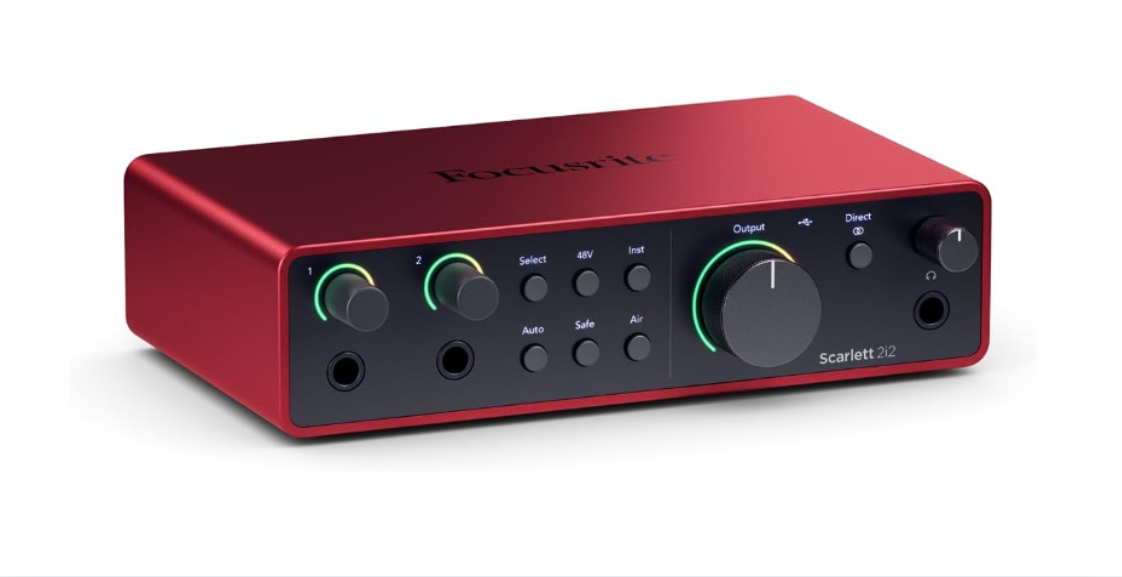
| Overall Best | Focusrite Scarlett 2i2 4th Gen |
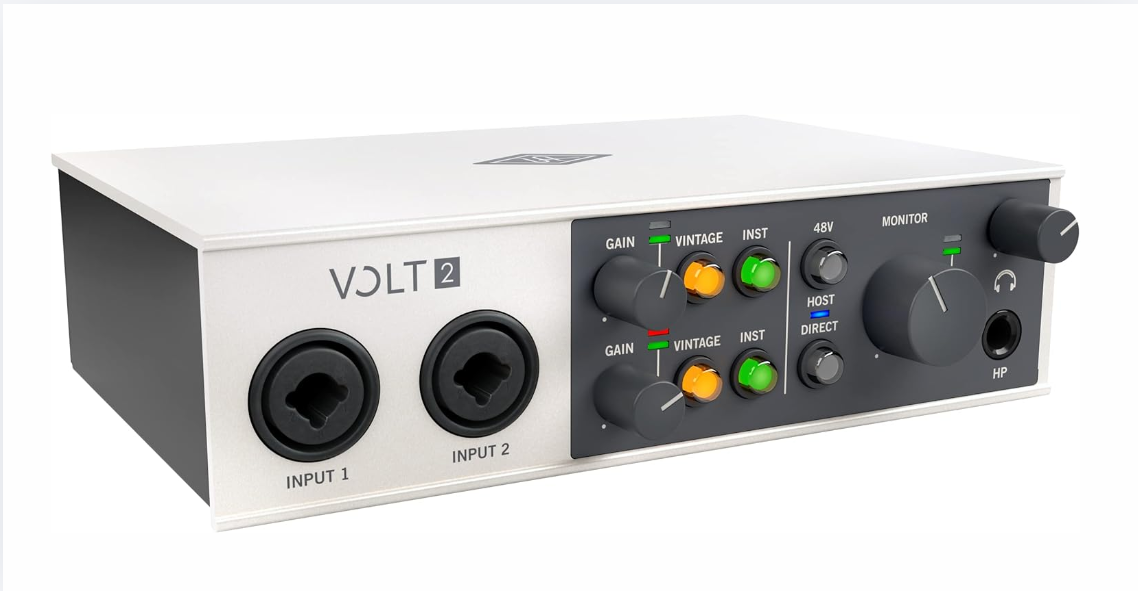
| Best for Home Studios | Universal Audio Volt 2 |
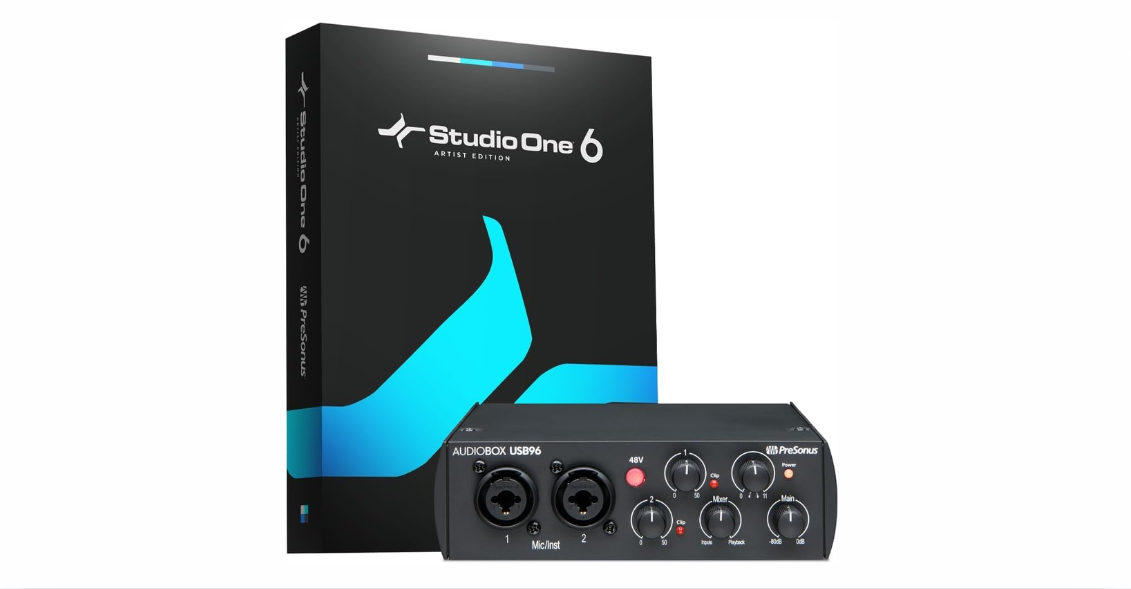
| Best for Beginners | PreSonus AudioBox USB 96 |
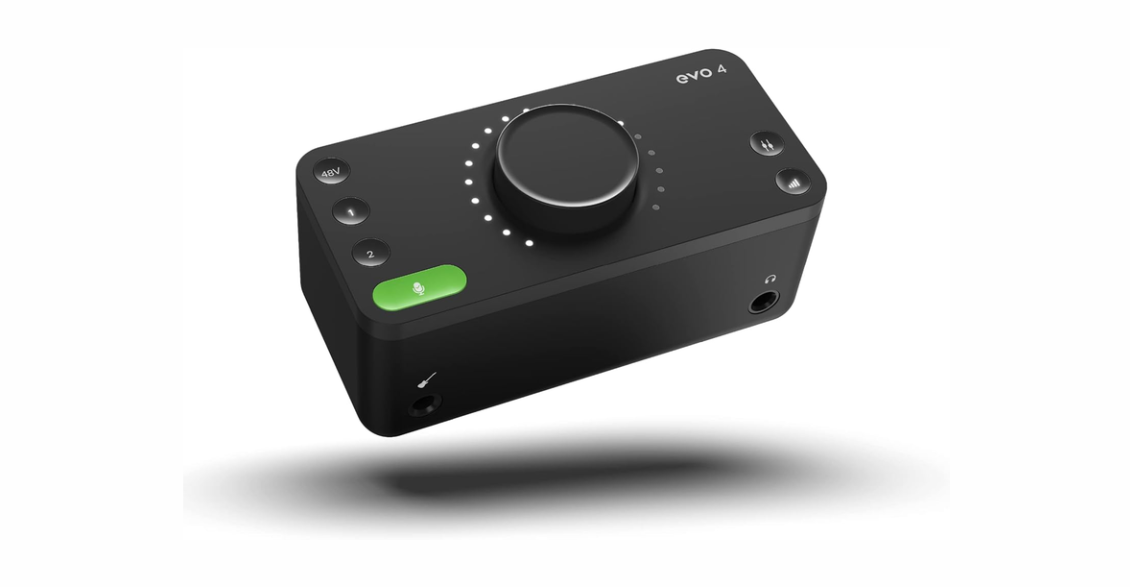
| Best for Portable Recording | Audient EVO 4 |
| Best for Musicians | MOTU M2 |
| Best for Streaming and Podcasting | Elgato Wave XLR |
| Best Budget Pick | Behringer UMC22 |
| Best Premium Choice | RME Babyface Pro FS |
In-Depth Look — 8 Best Audio Interfaces in 2026
1. Focusrite Scarlett 2i2 4th Gen
Overall Best
- Clean and detailed preamps
- Low-latency performance
- Compact and durable design
- Excellent software compatibility
- Easy setup
- Limited inputs for larger setups
- No onboard DSP
The Focusrite Scarlett 2i2 delivers reliable and accurate audio performance that suits a wide range of recording tasks, from vocals and instruments to podcasts and voiceovers. We evaluated its overall sound quality and found that recordings maintain a clean and balanced character, making it easy to capture natural-sounding audio without unwanted coloration.
We evaluated its preamp clarity and observed that vocals and instruments remain well-defined even at higher gain levels. The preamps provide enough clean gain for dynamic and condenser microphones, helping preserve detail and clarity without introducing noticeable noise or distortion during recording.
Its compact and lightweight design makes it suitable for both home studios and mobile setups. We evaluated monitoring performance and noted minimal latency during real-time recording, which allows performers to hear themselves naturally while tracking. This improves comfort and timing accuracy, especially during longer recording sessions.
Overall, this interface offers a balanced combination of sound quality, portability, and ease of use. Its intuitive controls, stable performance, and dependable audio output make it a strong all-around choice for creators at different skill levels who want consistent and professional results.
View on Amazon: Focusrite Scarlett 2i2 4th Gen
2. Universal Audio Volt 2
Best for Home Studios
- Warm preamp character
- Solid metal build
- Simple control layout
- Reliable conversion quality
- Vintage-inspired sound option
- Limited onboard controls
- Higher price than entry-level models
The Universal Audio Volt 2 focuses on delivering studio-quality sound in a compact and thoughtfully designed format. We evaluated its overall audio performance and found that recordings sound polished and controlled, making the interface well-suited for both vocal and instrument tracking in home studio environments.
We evaluated its preamp performance and observed a smooth and slightly warm sound character that complements vocals, guitars, and acoustic instruments. This tonal quality adds a subtle sense of depth while maintaining clarity, helping recordings sound more natural and refined without heavy processing.
Build quality feels solid and dependable, with a sturdy enclosure that supports long-term use. We evaluated performance during extended recording sessions and noted stable operation without dropouts, clicks, or noise issues, even when working at higher sample rates.
Overall, this model suits creators seeking refined sound quality and reliable performance for consistent home studio recordings. Its easy integration with popular recording software and straightforward controls help reduce setup time, allowing users to focus more on creativity and less on technical adjustments.
View on Amazon: Universal Audio Volt 2
3. PreSonus AudioBox USB 96
Best for Beginners
- Affordable pricing
- Simple interface layout
- Durable metal chassis
- Clear audio capture
- Easy software integration
- Basic feature set
- Limited monitoring options
The PreSonus AudioBox USB 96 offers a straightforward and accessible introduction to audio recording for new users. We evaluated its overall sound quality and found that vocals and instruments are captured clearly, with minimal background noise and a clean tonal balance suitable for everyday recording needs.
We evaluated its preamp performance and observed that it delivers consistent results across different input levels. While the feature set is simple, the interface provides enough clarity and gain for basic vocal recording, acoustic instruments, and spoken-word content without sounding harsh or compressed.
Setup is quick and uncomplicated, making it especially suitable for first-time users. We evaluated usability and noted that the controls are clearly labeled and easy to understand, which helps reduce the learning curve and allows beginners to start recording with confidence.
Overall, this interface is ideal for users starting podcasts, music projects, or basic recording tasks. Its simplicity, reliability, and beginner-friendly design make it a practical choice for learning the fundamentals of audio recording without unnecessary complexity.
View on Amazon: PreSonus AudioBox USB 96
4. Audient EVO 4
Best for Portable Recording
- Smart gain feature
- Lightweight design
- Clean audio output
- USB-powered operation
- Minimalist controls
- Fewer physical knobs
- Limited expansion
The Audient EVO 4 emphasizes portability while introducing intelligent features that simplify the recording process. We evaluated its overall performance and found that the interface is well-suited for creators who need a compact solution without compromising on sound quality.
We evaluated its smart gain function and observed that it helps achieve balanced recording levels quickly and efficiently. This feature is especially useful in mobile environments, where fast setup and consistent input levels are important. It reduces guesswork and helps prevent clipping or overly quiet recordings.
Audio quality remains clean and consistent across different sources. We evaluated vocal and instrument inputs and noted that recordings maintain clarity and detail, making the interface reliable for a variety of recording tasks, including voiceovers, instruments, and portable sessions.
Overall, this interface suits creators who record in multiple locations and need dependable performance in a small and lightweight package. Its combination of smart features, portability, and stable audio output makes it a practical choice for flexible recording workflows.
View on Amazon: Audient EVO 4
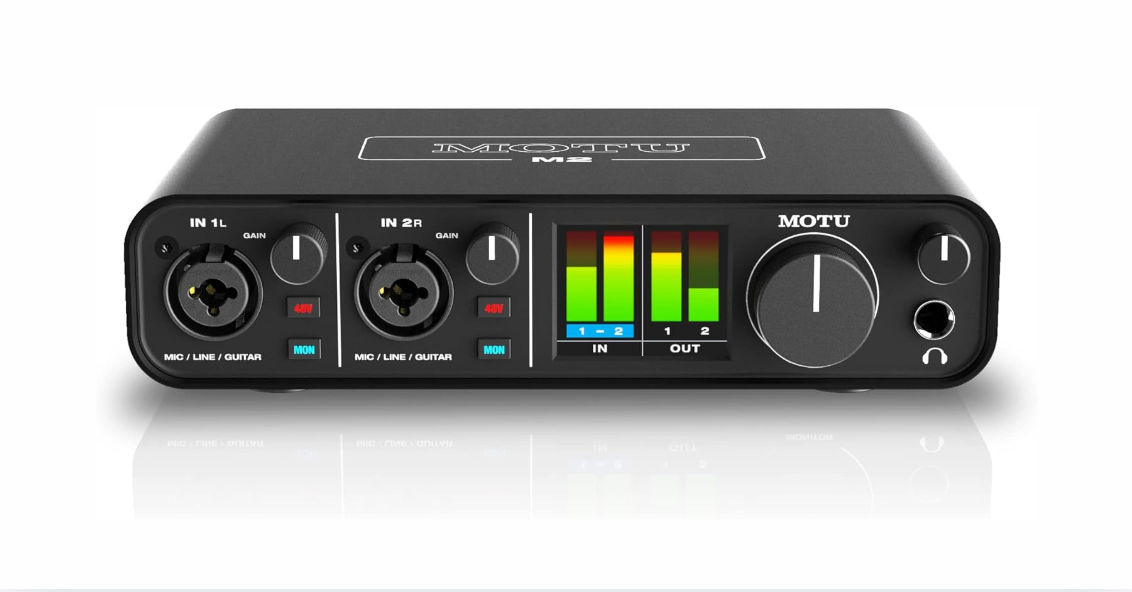
5. MOTU M2
Best for Musicians
- Excellent audio clarity and detailed conversion
- Low-latency performance
- Sturdy, professional-grade build
- Full-color metering for easy level monitoring
- Compact design suitable for home and mobile studios
- Slightly higher price than basic interfaces
- No onboard DSP effects
The MOTU M2 delivers precise and detailed audio performance designed for musicians who need accurate monitoring and reliable recording quality. We evaluated its overall sound reproduction and found that vocals and instruments are captured with excellent clarity, making it well-suited for recording guitars, keyboards, and live instruments.
We evaluated its converter performance and noted that the interface provides a clean and transparent sound with a strong dynamic range. This accuracy helps musicians hear subtle nuances in their playing, which is especially important during tracking and mixing sessions where detail matters.
Build quality feels solid and professional, with a compact design that fits easily into both home studios and mobile setups. We evaluated monitoring performance and observed a low-latency operation that allows musicians to record comfortably without timing issues or noticeable delay.
Overall, this interface is a strong choice for musicians seeking dependable sound quality and precise monitoring. Its balanced performance, clear visual metering, and stable operation make it a reliable tool for both practice and professional recording environments.
View on Amazon: MOTU M2
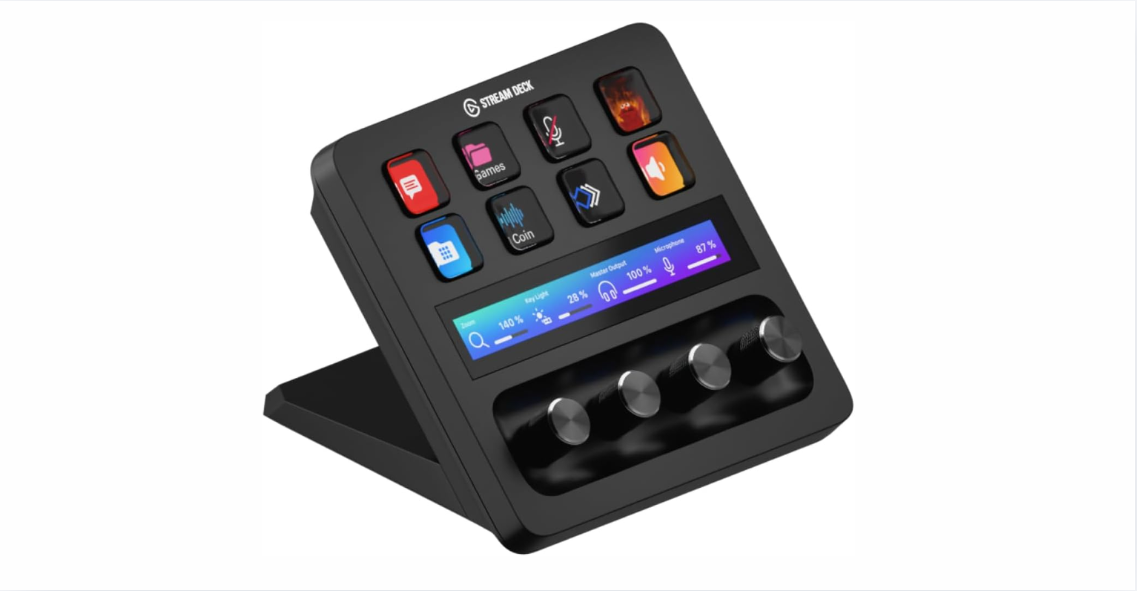
6. Elgato Wave XLR
Best for Streaming and Podcasting
- Excellent vocal clarity
- Simple level control
- Compact design
- Strong software integration
- Clean preamp gain
- Single input only
- Limited for music production
The Elgato Wave XLR features a compact and modern design that fits seamlessly into streaming and podcasting setups. Its USB-C connectivity ensures a stable and quick connection with minimal setup time. The multifunction control dial allows easy adjustment of gain, headphone volume, and mix levels from a single interface. Overall, the device offers a clean and professional appearance suitable for daily content creation.
In terms of audio performance, the Wave XLR delivers clear, detailed, and balanced sound output. It provides up to 75 dB of clean gain, making it ideal for use with dynamic microphones. The built-in Clipguard technology helps prevent audio distortion during sudden loud moments. This ensures consistent voice quality during live streaming and podcast recording.
The Wave Link software significantly enhances workflow by enabling virtual mixing of multiple audio sources. Users can independently control the microphone, music, system, and game audio levels with ease. This strong software-hardware integration reduces the need for additional mixers or tools. As a result, audio management becomes simpler and more efficient for creators.
We evaluated the Elgato Wave XLR in real-world streaming and podcasting scenarios. It performed reliably with excellent sound clarity and responsive controls. While it does not include physical faders, the digital controls are highly effective. Overall, it is a strong choice for creators seeking professional audio quality with a simple and streamlined setup.
View on Amazon: Elgato Wave XLR
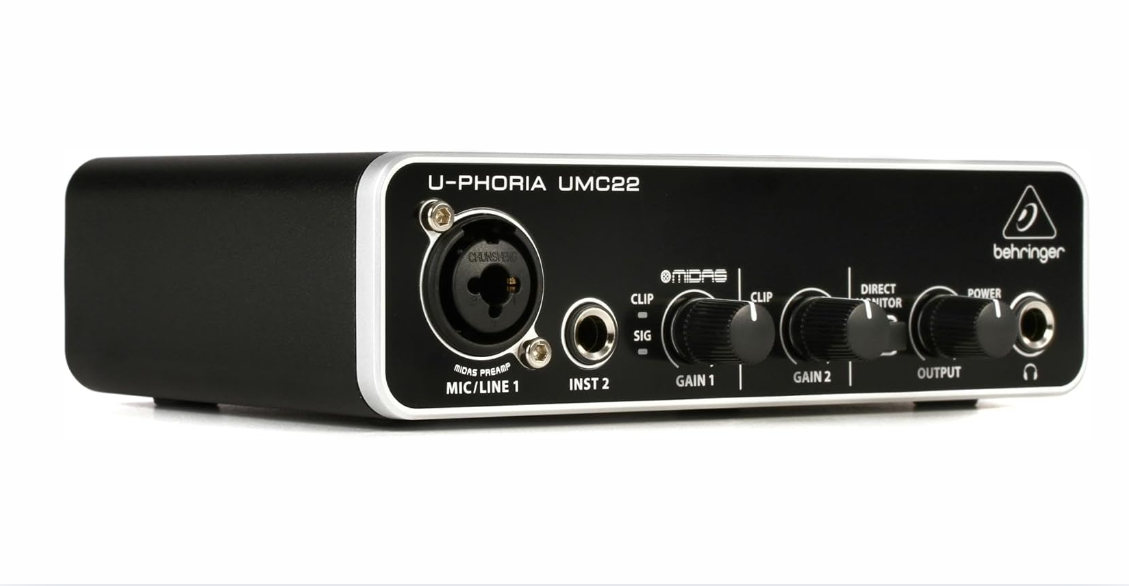
7. Behringer UMC22
Best Budget Pick
- Very affordable
- Simple operation
- Compact size
- Decent sound quality
- Easy setup
- Basic preamps
- Limited features
The Behringer UMC22 offers solid value for creators looking for an entry-level audio interface at an affordable price. We evaluated its overall sound performance and found that it delivers acceptable clarity for casual projects, practice sessions, and learning the basics of audio recording.
We evaluated basic recordings and observed that vocals and instruments are captured cleanly enough for simple use cases such as voice notes, demos, and beginner podcasting. While it does not offer advanced features, the sound quality is suitable for users who are just starting and do not require professional-grade output.
Setup is quick and straightforward, with minimal configuration required to begin recording. We evaluated usability and noted that the interface works well for simple recording tasks without unnecessary complexity, making it easy for beginners to understand and operate.
Overall, this interface is ideal for budget-conscious beginners who want an affordable and functional starting point. Its simplicity, low cost, and dependable basic performance make it a practical choice for learning and experimenting with audio recording.
View on Amazon: Behringer UMC22
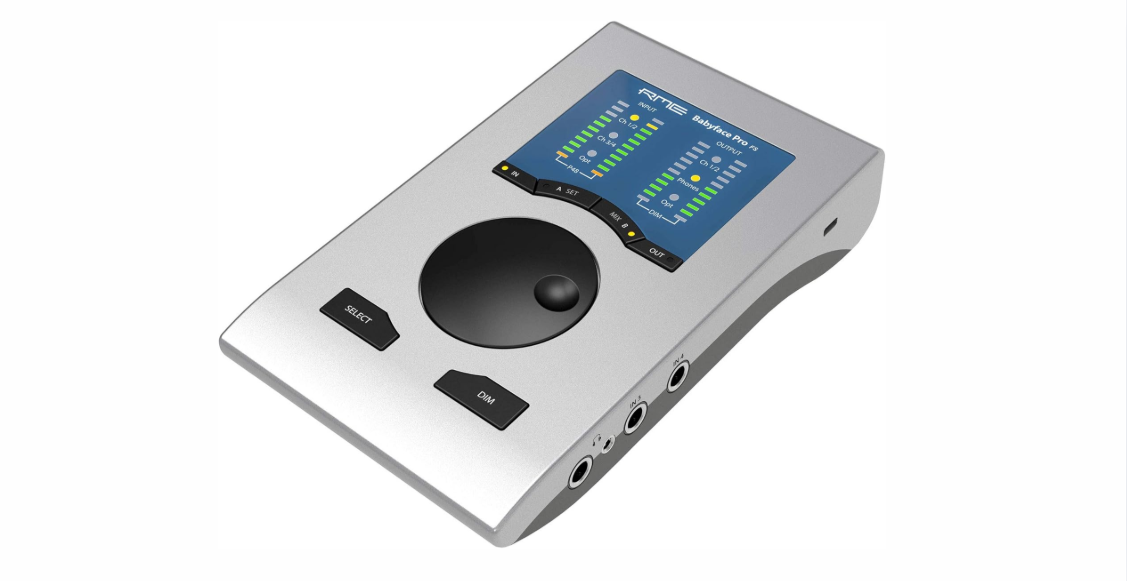
8. RME Babyface Pro FS
Best Premium Choice
- Exceptional audio clarity
- Ultra-low latency
- Durable metal construction
- Advanced driver stability
- Professional-grade conversion
- High cost
- Overkill for beginners
The RME Babyface Pro FS delivers top-tier performance designed for professional users who demand exceptional audio quality. We evaluated its overall sound accuracy and found that recordings are extremely detailed, transparent, and faithful to the original source, making it suitable for critical recording and mixing tasks.
We evaluated its conversion quality and observed precise reproduction across the frequency range. Vocals, instruments, and complex mixes retain clarity and depth, allowing subtle nuances to be captured and monitored with confidence during professional production work.
Performance remains stable even under demanding workloads. We evaluated extended recording sessions and noted consistent low-latency operation without dropouts, glitches, or synchronization issues, even at higher sample rates and lower buffer settings.
Overall, this interface is ideal for professionals seeking uncompromising audio quality and reliability. Its combination of exceptional sound precision, rock-solid performance, and durable construction makes it a trusted choice for advanced studio and production environments.
View on Amazon: RME Babyface Pro FS
Frequently Asked Questions About Audio Interfaces
1. What is an audio interface and why do I need one?
An audio interface is a device that connects microphones, instruments, and other audio gear to a computer. It improves sound quality through better preamps and analog-to-digital conversion, resulting in clearer recordings than standard computer sound inputs.
2. How does latency affect recording performance?
Latency is the delay between when a sound is produced and when it is heard through headphones or speakers. Low latency is important because it helps performers hear themselves in real time, which improves timing and accuracy during recording.
3. Can I use an audio interface for podcasting?
Yes. Many audio interfaces are well-suited for podcasting because they offer clear vocal capture, low noise preamps, and reliable monitoring options, which help maintain consistent audio quality throughout episodes.
4. Do I need multiple inputs on my interface?
This depends on your recording needs. Solo creators or podcasters may only need one or two inputs, while musicians or producers who record multiple instruments at once will benefit from interfaces with additional inputs.
5. Are audio interfaces compatible with laptops and desktops?
Most modern audio interfaces connect via USB-A or USB-C and work with both laptops and desktops. Some higher-end models also support Thunderbolt for faster data transfer and lower latency.
6. Does a more expensive interface mean better sound?
Not always. While higher-priced interfaces often offer better converters, more features, and advanced drivers, many affordable models still deliver excellent sound quality for beginner and intermediate needs.
7. How long will an audio interface last?
With proper care and handling, a quality audio interface can last many years. Units with sturdy construction and reliable connectors are more likely to withstand frequent use and transport.
8. Can I monitor recordings directly through the interface?
Yes. Most interfaces provide direct monitoring options that allow you to hear incoming signals with minimal delay. This helps you stay in time and adjust performance while recording.
9. Do interfaces require special software?
Audio interfaces typically require drivers for optimal performance and compatibility with digital audio workstation (DAW) software. Many include bundled software or work seamlessly with popular DAWs such as Pro Tools, Logic Pro, Ableton Live, and Reaper.
Final Words
Choosing the right audio interface plays a crucial role in achieving clear recordings, low-latency monitoring, and a smooth creative workflow. A well-selected interface helps capture accurate sound, reduces technical interruptions, and supports consistent performance across music production, podcasting, streaming, and content creation in different environments.
Among the available options, Focusrite Scarlett 2i2 stands out as a strong all-around choice due to its balanced sound quality, portability, and user-friendly design. Creators who prefer a more refined and studio-inspired sound character may find Universal Audio Volt 2 especially appealing, while beginners can start confidently with the simple and reliable PreSonus AudioBox USB 96.
For creators who record on the move, Audient EVO 4 offers intelligent features and a compact design that suits mobile workflows. Musicians who need accurate monitoring and clean conversion will appreciate the dependable performance of MOTU M2, which supports detailed tracking and consistent playback.
Budget-conscious users can rely on Behringer UMC22 for basic recording needs, while professionals seeking uncompromising accuracy and stability will benefit most from RME Babyface Pro FS. Together, these audio interfaces cover a wide range of budgets and use cases, making it easier to hear every detail and achieve high-quality results wherever recording takes place.