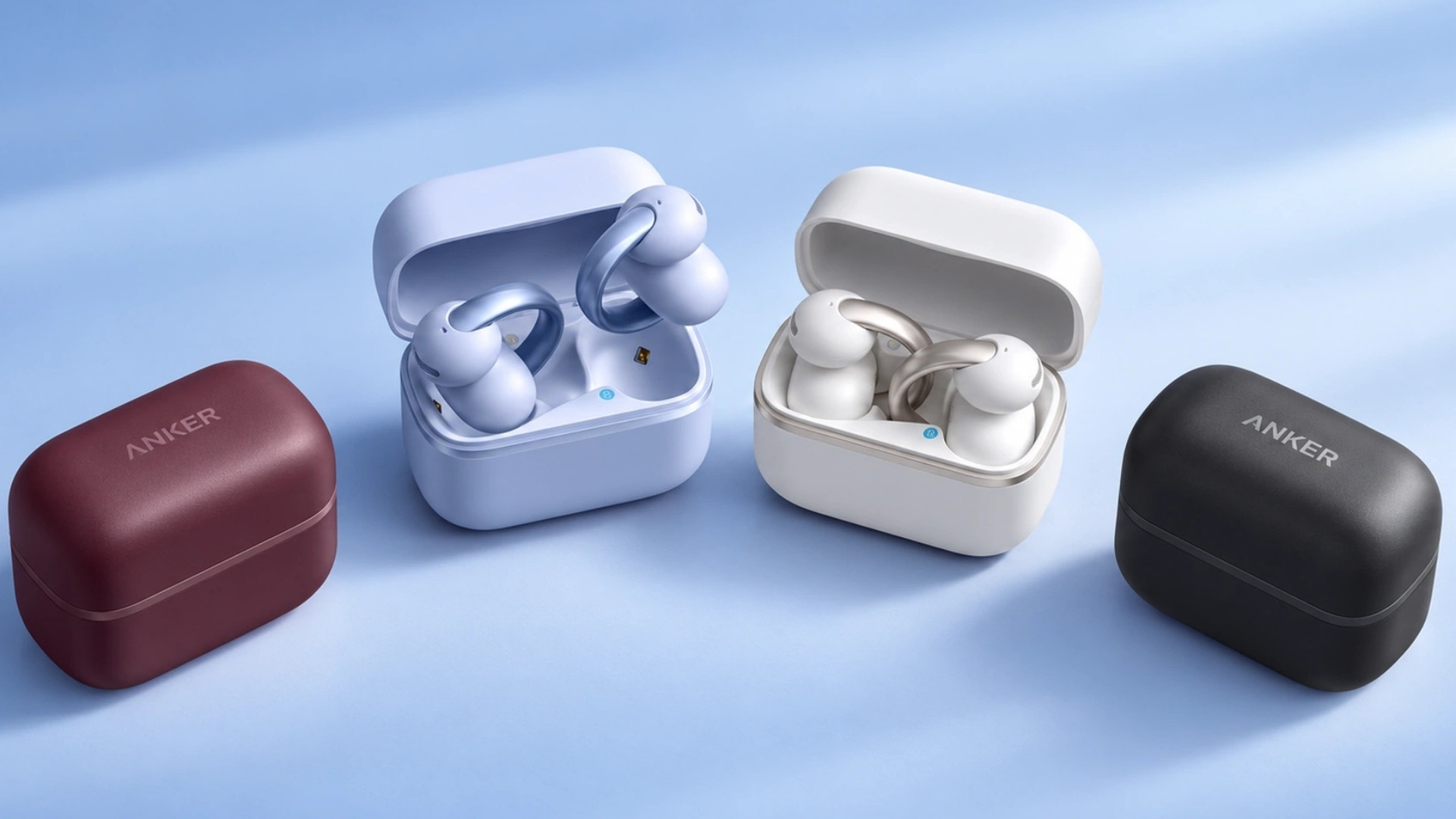
The Soundcore AeroClip 2 are clip-on earbuds that sit outside the ear canal. They let you listen to music or take calls while still hearing much of what happens around you. Their design is aimed at people who dislike an in-ear seal or regularly move between conversations, work, and listening.
In 2026, Soundcore introduced a new C-bridge shape based on data from more than 2,000 ear scans. Its AeroClip 2 specifications list 8 hours of music playback per charge, 32 hours with the case, and a weight of 6.2 grams per earbud. These are manufacturer figures, so fit and battery life still need to be judged through everyday use.
The AeroClip 2 places particular emphasis on phone calls. It combines microphones, voice-sensing hardware, and Soundcore’s Thus processing to separate speech from background noise. That technology affects what the other person hears during a call; the open-ear design still lets you hear your surroundings. Understanding that distinction will help you decide where these earbuds make sense.
How the Soundcore AeroClip 2 Work
Fit the C-Bridge Around Your Ear
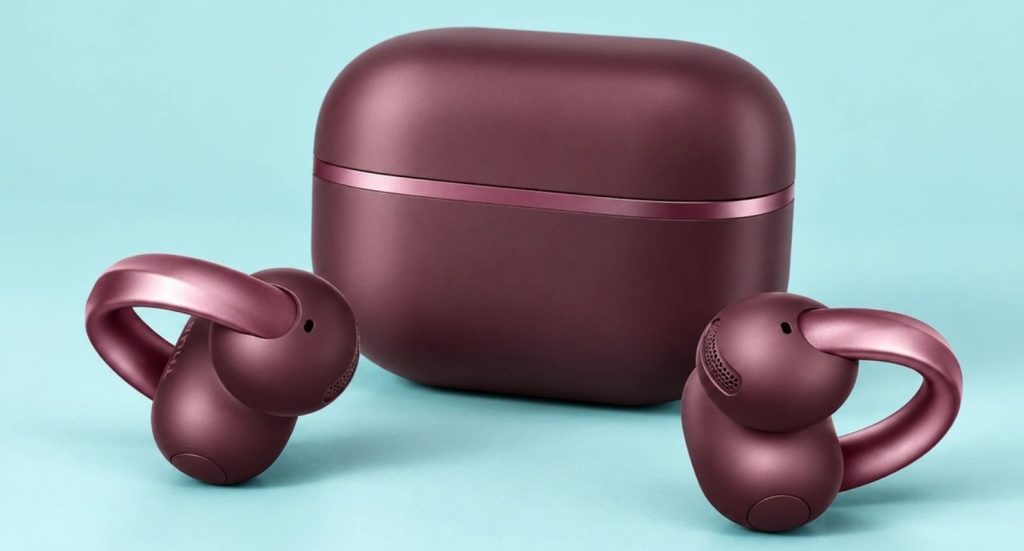
Each Aero Clip 2 attaches around the outer ear rather than pushing a silicone tip into the ear canal. Soundcore calls the shape Golden Fit and says its curved acoustic and battery sections follow the contours of the ear.
To put one on, position the speaker section near the opening of your ear and let the bridge hold the other section behind it. Adjust the position gently until speech and music sound clear on both sides. If one side is noticeably quieter, check its placement before increasing the volume.
An open-ear clip should feel secure without pinching. Wear the earbuds while talking, walking, and turning your head to see whether they stay in place. Comfort is personal despite the ear-scan data, so a short fitting check is more useful than assuming the design will work for every ear.

Understand the Open-Ear Sound
The AeroClip 2 does not seal the ear canal. That makes it easier to hear someone speaking nearby, a station announcement, or other environmental sounds while audio plays.
The trade-off is that outside noise also competes with your music. In a quiet office, at home, or on a moderate walk, the open design may feel natural. Beside heavy traffic or in a loud train, you may struggle to hear quieter parts of a podcast without raising the volume.
Do not treat open-ear awareness as a guarantee that you will notice every hazard. Music, calls, and attention to a task can still distract you. Keep the volume moderate and pay direct attention when crossing a road or moving through a busy area.
Adjust the 12 mm Drivers and HearID Sound
Soundcore specifies a 12 mm dual-magnet driver for the AeroClip 2. It also lists LDAC support and HearID 5.0 sound personalization. These features give you ways to explore a fuller presentation, but the open design will still affect how much bass you hear in different environments.
Begin with familiar music at a moderate volume. If voices seem faint, reposition the speaker section before changing the equalizer. Then use the soundcore app to try HearID and compare the result with the default tuning.
LDAC requires a compatible source device. Its presence on the product page does not mean every phone will use it automatically. Check the Bluetooth audio settings on your device if that feature matters to you. Soundcore also lists a 3D sound option, which you can test with music or video and leave off if you prefer the standard presentation.
Separate Your Voice From Background Noise on Calls
Soundcore equips the AeroClip 2 with four microphones and two voice pickup units. Its Thus processing uses those inputs to focus on speech during calls. The company says the model achieved a Guinness World Records certification for an objective speech-quality score in the open-ear clip-on category on August 31, 2026.
That certification describes a specific test. It does not guarantee that every call will sound equally clear in wind, traffic, or a crowded room. It also does not mean the person wearing the earbuds will stop hearing those surroundings. Soundcore’s call technology primarily aims to improve the voice sent to the caller on the other end.
For a useful real-world check, call someone from a quiet room and then from a noisier place you visit regularly. Ask whether your words remain understandable, rather than whether they can hear absolutely no background sound. Wind direction, your phone connection, and how the earbuds sit on your ears can all affect the result.
Use the Battery Figures for Music and Calls
Soundcore lists up to 8 hours per charge and 32 hours with the case for music playback. Its comparison with the original AeroClip gives separate call-mode figures of approximately 5 hours per charge and 20 hours with the case.
That distinction matters if you spend much of the day in meetings. An eight-hour music estimate does not mean the earbuds will handle eight hours of continuous calls. Charging habits, volume, connection settings, and your mix of calls and music will change the runtime you see.
Soundcore says a 10-minute charge can provide up to four hours of use under its stated conditions. The AeroClip 2 also supports wireless charging, according to Soundcore’s support comparison. A quick charge can help before a commute but charge the case regularly if you rely on the earbuds for work.
Connect to Two Devices
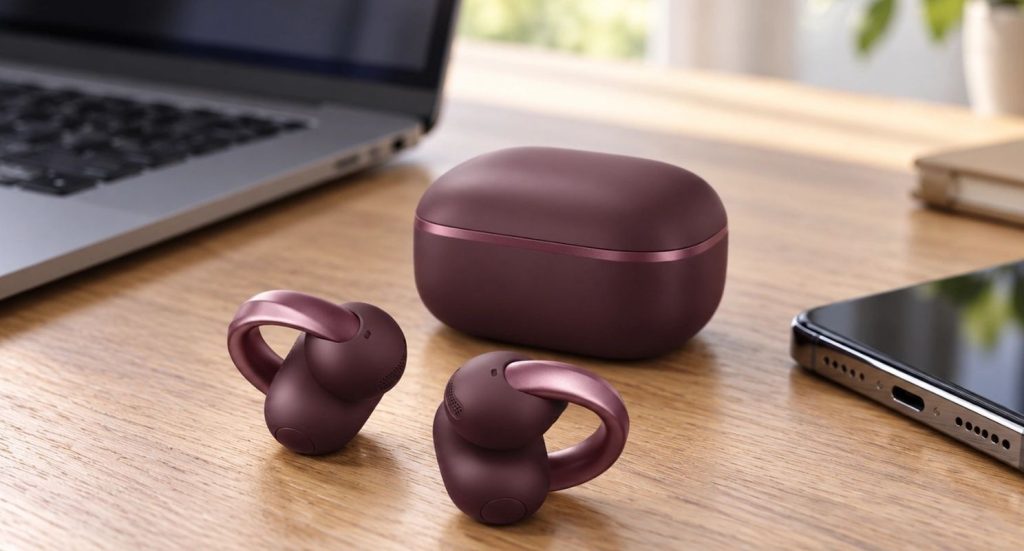
The AeroClip 2 support Bluetooth multipoint. You can keep them connected to two devices, such as a phone and laptop, and switch audio when your workday moves from one to the other.
Multipoint does not combine the sound from two sources. If a phone call interrupts laptop audio, expect the earbuds to prioritize one source at a time. If switching seems unreliable, pause playback on the first device and confirm that the second device has selected the AeroClip 2 as its audio output.
Soundcore lists Bluetooth 6.0 for this model. That version number is one specification, not a promise that every device will gain a noticeable performance improvement. Connection behavior still depends on the phone or computer and its software.
Use Physical Buttons and App Settings
The AeroClip 2 use physical buttons rather than the touch controls on the original AeroClip. A button can be easier to locate by feel, especially when you want to adjust playback without repeatedly tapping the body of a small earbud.
The soundcore app provides additional setup and customization. Soundcore’s app instructions say new users should install a current version, tap Add Device, and select ANKER AeroClip 2. If the earbuds connect over Bluetooth but do not appear in the app, update the app before resetting the earbuds.
Soundcore also lists app-based translation features for the AeroClip 2. Treat translation as a tool to assist a conversation, especially when traveling, and check the output when wording matters. Language support and performance can depend on the app, connection, and the speech being translated.
Try Nap Mode and Built-In White Noise
Soundcore includes a Nap Mode with locally available white noise. Its product instructions say a triple press can activate it, allowing you to play background sound without opening another audio app.
Try the control while awake first. Set a comfortable level and check how readily you can turn the sound off again. White noise is a listening preference, not a guaranteed way to fall asleep or concentrate.
Open-ear earbuds also allow room noise to remain audible. If your goal is to block loud snoring or traffic while sleeping, the AeroClip 2’s open fit works differently from earbuds designed to seal the ear canal.
Check the IP57 Rating
The AeroClip 2 earbuds carry an IP57 rating for dust and water resistance. That makes them suitable for many ordinary situations involving sweat or rain. Soundcore lists a higher rating than the original AeroClip’s IP55.
An IP rating does not make the earbuds a swimming accessory or extend the same protection to the charging case. Wipe the earbuds dry before returning them to the case, and keep the case away from water. If you use the AeroClip 2 during exercise, check that the bridge remains secure as you move.
What to Check If the AeroClip 2 Do Not Work as Expected
If the sound is weak on one side, start with placement. Because the speaker sits outside the ear canal, a small change in its position can affect what you hear. Put both earbuds on again and compare them using a spoken recording before changing the equalizer.
If the earbuds remain connected after you put them away, close the case lid. Soundcore says placing them in an open case does not disconnect them immediately. Closing the lid powers them off. You can also hold the buttons on both earbuds for six seconds to switch them off without the case.
If the soundcore app cannot find the earbuds, update it to the version Soundcore recommends for the AeroClip 2. When multipoint is active, close the app on the other connected device; Soundcore says the app can connect to only one of the two devices at a time. Our headphone troubleshooting guide covers other common Bluetooth and audio problems.
Frequently Asked Questions
Do the Soundcore AeroClip 2 Have Active Noise Cancelation?
No ANC feature appears in Soundcore’s AeroClip 2 specifications. The earbuds use an open-ear design intended to leave your surroundings audible. Their microphone processing reduces background noise for people hearing your voice on calls; it does not provide noise cancelation for the listener.
How Long Does the AeroClip 2 Battery Last?
Soundcore lists up to 8 hours per charge and 32 hours with the case for music. Its comparison material gives approximately 5 hours per charge and 20 hours total for calls. Actual runtime depends on your settings and use.
Can I Connect the AeroClip 2 to Two Devices?
Yes. Soundcore lists multipoint support, allowing connections to two devices. Audio switches between sources rather than playing both simultaneously.
Does the AeroClip 2 Support LDAC?
Soundcore’s product page and support article both list LDAC. You need a compatible source device to use it, so check your phone’s Bluetooth audio capabilities rather than assuming the connection uses LDAC by default.
Are the AeroClip 2 Waterproof?
The earbuds have an IP57 water and dust resistance rating, but that does not make them suitable for swimming or make the charging case water-resistant. Dry the earbuds before placing them in the case.
What Changed From the Original AeroClip?
Soundcore lists a revised C-bridge fit, updated call hardware and processing, physical buttons, Bluetooth 6.0, an IP57 rating, faster charging, and added features such as Nap Mode. Both generations list up to 8 hours of music playback per charge and 32 hours with the case, so the headline music battery figure alone is not an upgrade.
Final Thoughts
The Soundcore AeroClip 2 are built for people who want audio without sealing off their ears. The C-bridge design, physical buttons, multipoint connection, and open fit suit a day that moves between music, conversations, and calls. Their strongest stated emphasis is improving how your voice reaches someone else in a noisy setting.
Use the correct battery figure for your routine. Soundcore’s 8-hour earbud and 32-hour total ratings apply to music, while its published call-mode figures are closer to 5 and 20 hours. If you spend most of the day speaking rather than listening, plan around the call numbers.
The deciding factor is whether you enjoy the open-ear experience. Try the clip for comfort, test calls where you usually take them, and listen to familiar audio in both quiet and noisy places. If you need strong isolation from your surroundings, an earbud that seals the ear canal will serve a different purpose than the AeroClip 2.