The Soundcore Sleep Earbuds 4 Pro are designed for people who want to reduce nighttime distractions, listen to sleep sounds, and learn more about their sleep patterns. Unlike ordinary wireless earbuds, their low-profile shape, snore-masking system, and touchscreen case focus on what happens from bedtime through the following morning.
The need for better sleep is widespread, although earbuds alone cannot solve every sleep problem. In an April 2026 report, the Centers for Disease Control and Prevention found that 30.5% of US adults slept less than seven hours on average, based on survey responses collected in 2024. Soundcore’s new model aims to help users manage some nighttime noise and observe sleep trends; it is not a treatment for insufficient sleep or a sleep disorder.
Soundcore has announced the Sleep Earbuds 4 Pro, but the model had not yet reached its stated November 2026 launch window as of September 24, 2026. The features below come from Soundcore’s published description. Independent overnight testing will be needed to establish how comfortable and effective the earbuds are in everyday use.
How the Soundcore Sleep Earbuds 4 Pro Work
Reduce Noise With Isolation, ANC, and Masking Audio
The Sleep Earbuds 4 Pro use several approaches to make nighttime sounds less intrusive. A fitted ear tip provides passive isolation, Active Noise Cancelation (ANC) targets some outside noise, and sleep audio can mask sounds that remain. Soundcore describes this combination as a way to soften disturbances such as traffic rumble, appliances, and nearby voices.
These methods do different jobs. Isolation depends on the fit inside your ear; ANC uses electronics to reduce certain incoming sounds; masking plays audio that makes another sound less noticeable. None promises complete silence, and the result will vary with the noise in your room and the volume you find comfortable.
Start with the ear tips rather than turning the masking sound up immediately. If the tips leave a gap, noise can enter and prompt you to use more volume than you otherwise would. A secure but comfortable fit should let the earbuds work without pressing painfully against your ears.
Set Up Adaptive Snore Masking
Soundcore says the charging case can detect snoring and signal the earbuds to adjust their soothing audio. The idea is to respond when snoring changes instead of playing one unchanging sound throughout the night.
For the feature to work as intended, Soundcore instructs users to place the case within two meters of the earbuds, with its microphone facing the sleeper. A case left inside a drawer or across a large room may not pick up the relevant sound as reliably. Try the system at a modest audio level and adjust it based on what you actually hear overnight.
Snore masking addresses the sound of snoring for the person wearing the earbuds. It does not identify why someone snores or address a breathing problem. The earbuds’ sleep reports should likewise be treated as wellness information, not a diagnosis.
Check Comfort While Sleeping on Your Side
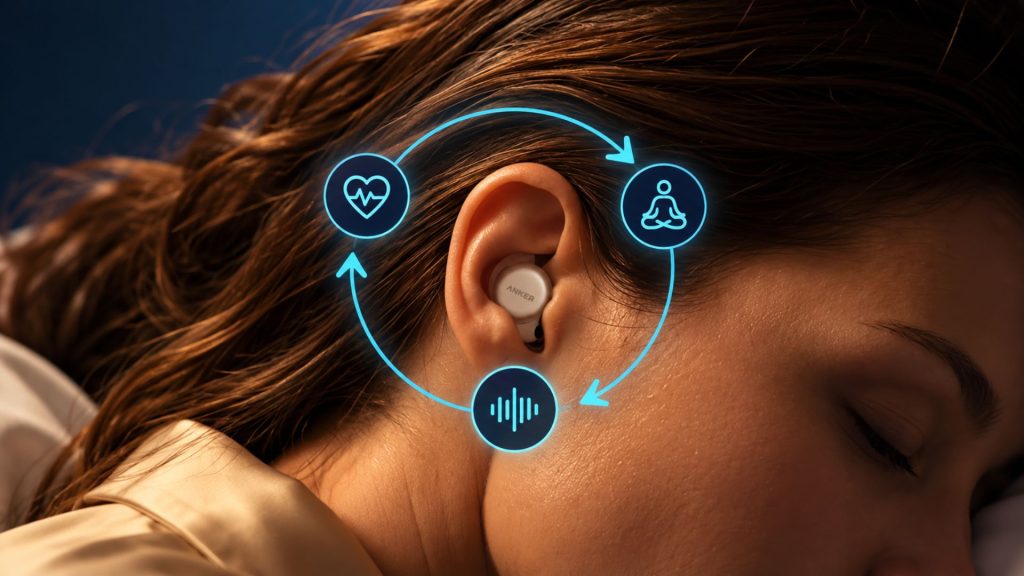
Earbuds that feel fine while sitting upright may become uncomfortable when a pillow pushes them toward the ear canal. Soundcore describes the Sleep Earbuds 4 Pro as low-profile and shaped to avoid common pressure points for side sleepers. It says each earbud weighs about 3 grams and supplies multiple ear tips and ear wings.
Comfort remains individual. Your ear shape, pillow firmness, and usual sleeping position all change how much pressure you feel. When the earbuds become available, a useful first test will be to wear them while resting on both sides for a while, rather than judging the fit after a few minutes standing up.
Check whether the earbuds stay in place when you turn over. If one side feels sore in the morning, try a different tip or wing before assuming you need a tighter fit. Persistent pressure is a reason to stop wearing them overnight.
Use the Touchscreen Case Without Opening Your Phone
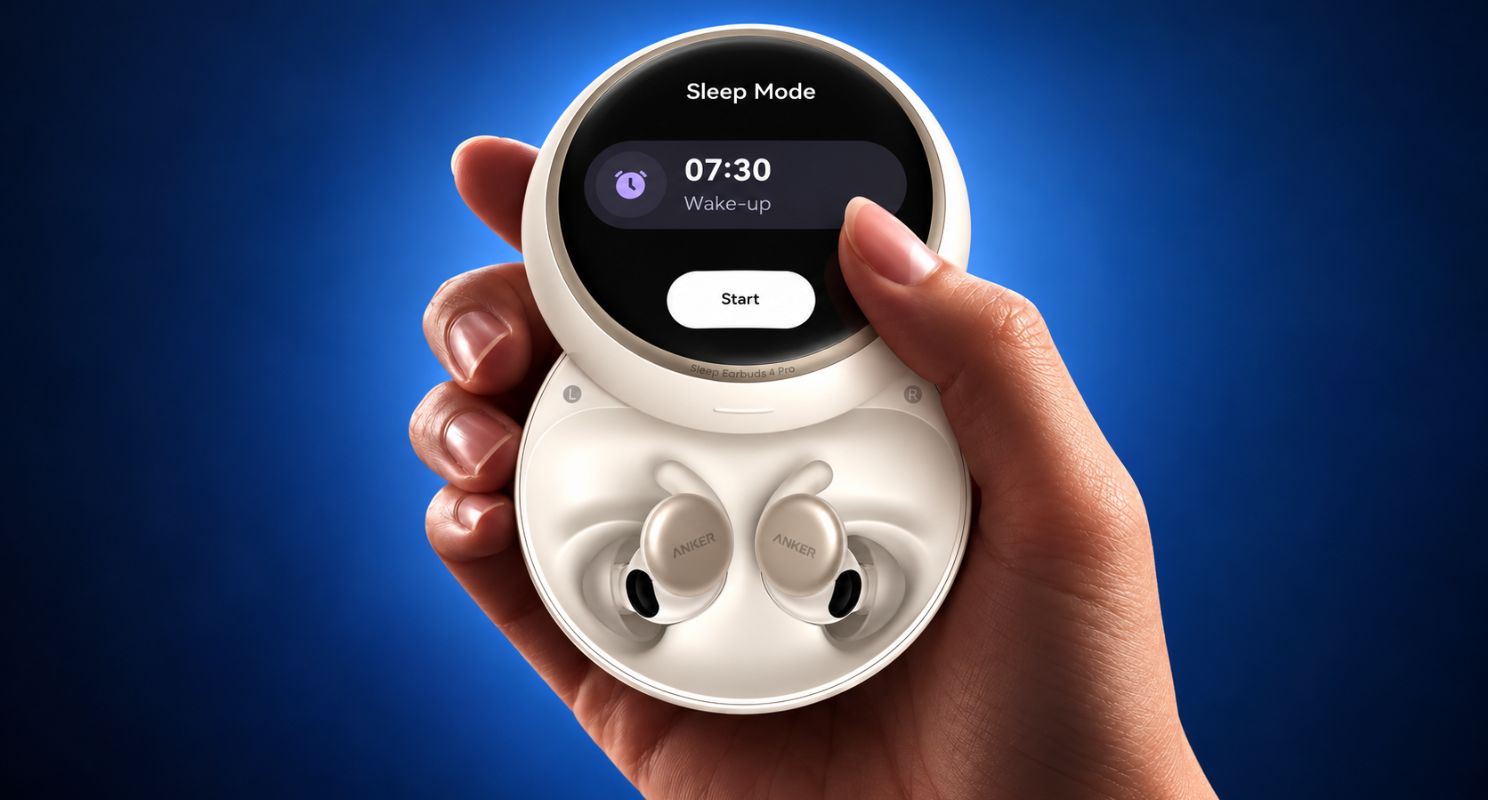
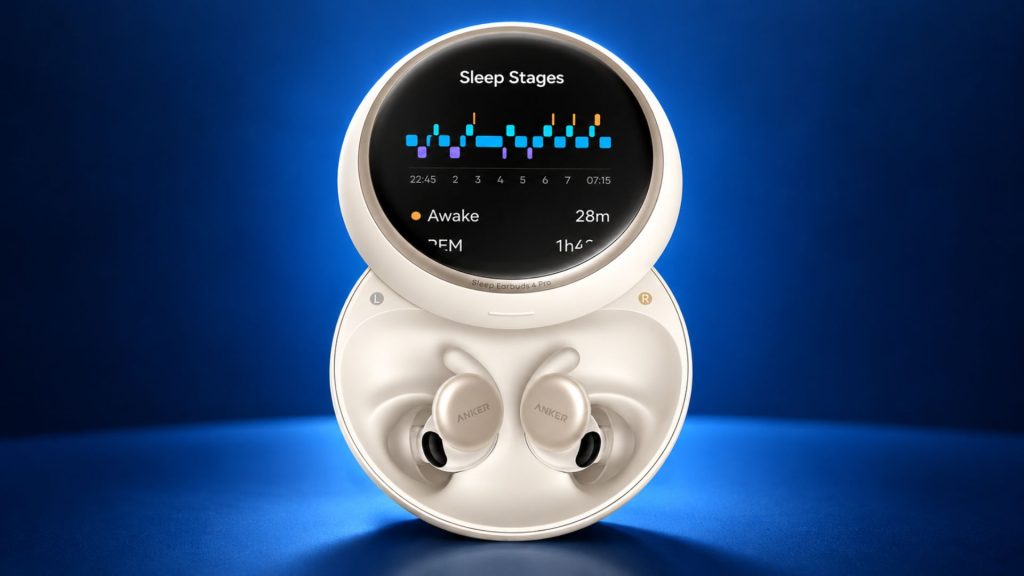
A defining feature of the Pro model is its Active-Matrix Organic Light-Emitting Diode (AMOLED) touchscreen case. Soundcore says you can use it to manage audio, adjust settings, set an alarm, and read a morning sleep report without opening the phone app.
The case also has local storage for sleep audio. That gives you a way to play stored sounds without depending on an active phone connection or internet access at bedtime. Bluetooth 6.0 remains available when you want to stream audio from your device.
A phone-free routine may be helpful if picking up your phone leads you into messages or scrolling. The case does not remove every setup task, though. You may still want the Soundcore app for its wider audio library, settings, and review of longer-term sleep trends.
Review Sleep Tracking With the Right Expectations
The Sleep Earbuds 4 Pro add an in-ear Photoplethysmography (PPG) sensor. Soundcore says it samples at 100 Hz and uses physiological signals to provide information such as heart rate, Heart Rate Variability (HRV), sleep stages, a Sleep Score, and a morning report.
Look for patterns across multiple nights instead of treating one score as a verdict on how well you slept. A late bedtime, a noisy room, or a disrupted routine may help explain a change, but the earbud report alone cannot establish the cause. Soundcore explicitly states that the product is not a medical device and cannot diagnose conditions such as sleep apnea.
Soundcore also describes BioSync, an experimental feature that uses sensor feedback to adjust soothing sounds as you wind down. Because Soundcore labels it experimental and says it may change or be removed, treat it as a feature to explore when available rather than a proven way to improve sleep.
Set an In-Ear Alarm and Find a Missing Earbud
The earbuds include a personal in-ear alarm. Set it to a time that suits your routine, then test it while awake so you know how it sounds and whether its level is appropriate for you.
Soundcore also lists a Find Me function that can make an earbud ring through its app. That may help if a small earbud slips into bedding overnight. Check the pillowcase, sheets, and floor carefully before activating sound at a high level.
The Soundcore app provides sleep sounds and other audio without an additional subscription, according to the company. Download a few options you find calming and test them at a low volume before relying on one for a full night.
What to Check Before Relying on Them Overnight
First, consider your surroundings. Soundcore says the standard Sleep Earbuds 4 have an important-sound awareness feature that can recognize selected sounds, including a baby crying or a fire alarm. Its comparison of the two models states that the 4 Pro does not have that same feature. If you must remain alert to a child or important household sounds, do not assume that the Pro model will provide those alerts.
Next, confirm battery performance when full specifications and independent tests are available. Bluetooth streaming, stored audio, ANC, sensor tracking, and the alarm may use power differently. Before depending on the earbuds through an entire night, try your preferred combination of features for several nights and check the remaining charge each morning.
Finally, keep sleep data in context. If you regularly wake gasping, notice breathing pauses, or struggle with significant daytime sleepiness, an earbud score cannot tell you what is happening medically. Seek an appropriate clinical assessment rather than using a consumer tracker to rule out a condition.
Frequently Asked Questions
Do the Soundcore Sleep Earbuds 4 Pro Cancel Snoring Completely?
No. Soundcore combines isolation, ANC, and adaptive masking audio to make snoring less noticeable. Results depend on the fit, the sound level, and the type and loudness of the snoring. The case needs to sit within Soundcore’s recommended range to detect it effectively.
Can I Use the Sleep Earbuds 4 Pro Without My Phone at Bedtime?
Soundcore says the touchscreen case lets you select stored audio, manage settings, set an alarm, and review a morning report without opening your phone. The earbuds also support Bluetooth streaming when you want audio from another device.
Are the Sleep Earbuds 4 Pro Comfortable for Side Sleepers?
Soundcore designed their low-profile shape with side sleeping in mind, but comfort cannot be guaranteed for every ear or pillow. Test the supplied tips and wings, and check for pressure after lying on each side.
Can the Sleep Tracking Detect Sleep Apnea?
No. Soundcore identifies the earbuds as a consumer wellness product, not a medical diagnostic device. The sleep information may help you notice trends, but it cannot confirm or rule out sleep apnea or another medical condition.
What Is the Main Difference Between Sleep Earbuds 4 and 4 Pro?
Soundcore says both focus on sleep comfort and noise reduction. The Pro adds in-ear physiological tracking, morning insights, experimental BioSync audio, and a touchscreen case. The standard model has selected important-sound awareness that Soundcore says the Pro lacks.
Final Thoughts
The Soundcore Sleep Earbuds 4 Pro combine sleep-focused audio with a touchscreen case and in-ear tracking. Their most interesting practical feature may be the ability to set up sounds and an alarm without picking up a phone at bedtime. Adaptive snore masking could also be useful in a room where noise changes during the night.
Their tracking features need a measured interpretation. A morning report can help you spot recurring patterns, but it cannot explain every poor night or diagnose a medical condition. BioSync is still described by Soundcore as experimental, and the product had not reached its stated launch window at the time of writing.
If you are interested in the 4 Pro, wait for confirmed battery details and sustained overnight comfort testing before judging its effectiveness. Pay particular attention to fit, whether the masking audio works in your room, and the lack of the standard model’s selected important-sound alerts. Those details will matter more at 2 a.m. than an impressive feature list.