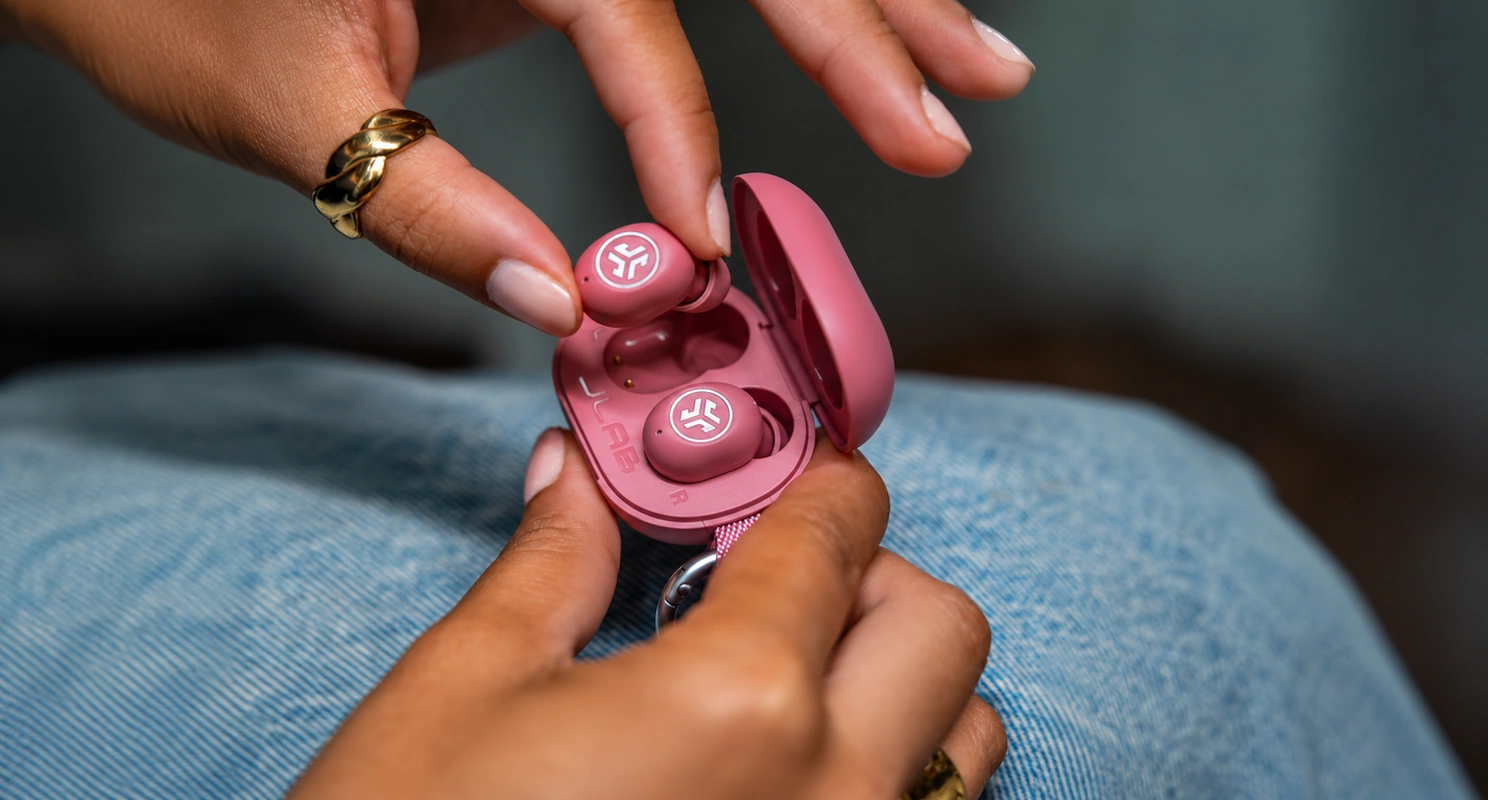
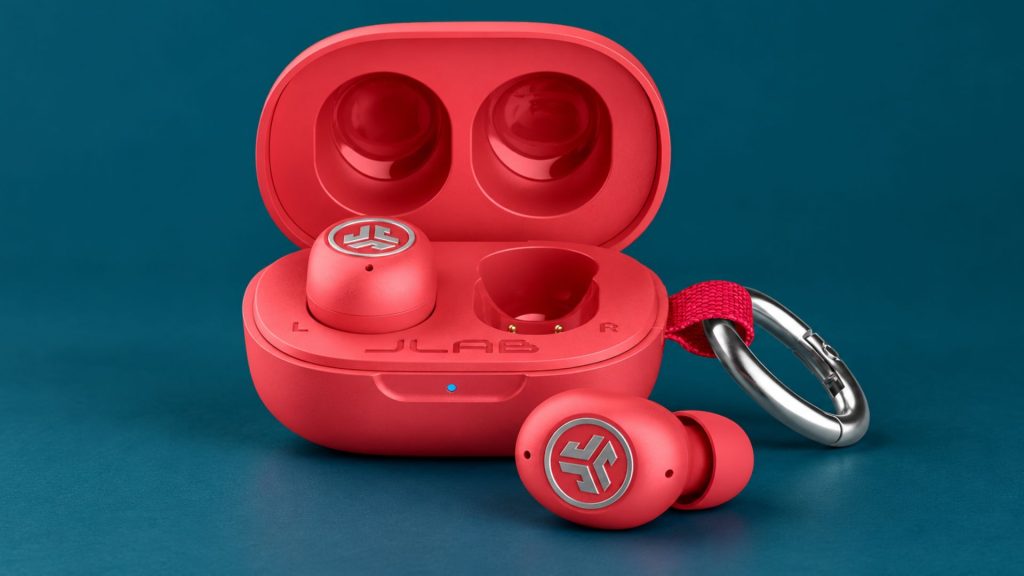
The JLab JBuds Mini ANC put Active Noise Cancelation (ANC) into an unusually small pair of wireless earbuds. They also offer an awareness mode, app-based sound settings, and a charging case that can attach to a keychain. The appeal is straightforward: earbuds that take up little room while covering the features many people use during a commute, at work, or on a walk.
Battery life depends on how you listen. According to JLab’s JBuds Mini ANC specifications, the earbuds provide 7 or more hours per charge with ANC off and 5.5 or more hours with ANC on. Including the charging case, JLab lists 25 or more hours without ANC and approximately 20 hours with ANC on. Volume, connection conditions, and other settings can change the results you get.
The JBuds Mini ANC are distinct from the original JBuds Mini. The newer model adds noise cancelation and supports Apple Find My for its charging case. If you are setting them up or checking a feature, make sure the instructions specifically name JBuds Mini ANC.
What Makes the JBuds Mini ANC Different?
Fit a Smaller Earbud and Case into Your Routine
JLab says the JBuds Mini ANC earbuds are 30% smaller and their charging case is 50% smaller than its GO POP+ model. The case’s compact shape makes it easier to carry without reserving a separate pocket for your earbuds. You can also attach it to a keychain or bag.
Small does not automatically mean comfortable. An earbud’s outer housing must sit well in your ear, while its tip must seal the ear canal without excessive pressure. JLab includes small, medium, and large gel tips, so begin by trying all sizes that seem plausible rather than leaving the preinstalled tips in place.
A good fit should feel secure when you talk or walk. It should also give you fairly even bass in both ears. If one earbud sounds thin or moves easily, its tip may not be sealing properly. People whose ears often feel crowded by standard earbuds can also use our guide to earbuds for small ears to identify what may be causing discomfort.
Understand What ANC Can Do
ANC uses microphones and audio processing to reduce some sounds reaching your ears. With the JBuds Mini ANC, it can help make a steady fan, engine rumble, or other background noise less intrusive while you listen.
The ear tips still do important work. They physically block part of the outside sound before ANC takes effect. If you hear very little difference after turning ANC on, change the tip size and check that each earbud sits securely. Turning your music up will not fix a poor seal.
Do not expect ANC to erase every sound. Nearby speech and sudden noises may remain audible, and performance will vary with your surroundings. JLab’s app lets you adjust the ANC setting, so try it in the places where you normally listen rather than judging it only in a quiet room. JLab’s app guide explains where to find the noise controls.
Let Outside Sound in with Be Aware Mode
JLab’s Be Aware mode lets more environmental sound pass through the earbuds. It is useful when you need to hear a station announcement, speak briefly to someone, or stay more aware while walking.
You can adjust how much sound Be Aware lets through in the JLab app. You can also choose which noise modes the earbud’s touch command will cycle through. For example, if you never use the fully off setting, you can simplify the control to switch between ANC and Be Aware.
Be Aware can make surroundings easier to hear, but it does not guarantee that you will notice every important sound. Keep your listening level moderate and pay direct attention when crossing roads or moving through busy areas.
Change the Sound in the JLab App
Each earbud contains a 6 mm dynamic driver. JLab provides three named Equalization (EQ) presets: JLab Signature, Balanced, and Bass Boost. The app also lets you create a custom EQ setting.
Start by listening to a familiar song with the Balanced preset. Then compare the other settings at the same volume. If vocals become harder to understand after adding bass, make a smaller adjustment instead of increasing the overall volume.
The app includes Lab Spatial Audio, Music Mode, and a lower-latency Movie Mode. Try Movie Mode when dialogue appears out of sync with video, then switch back if you prefer the connection behavior of Music Mode. These are listening options to test, not guarantees that every source will sound better.
You can also set a maximum listening level through JLab’s Safe Hearing control. That may be useful if you often raise the volume to overcome background noise. Before doing so, check your ear-tip seal and ANC setting; improving the fit may make a high volume unnecessary.
Customize the Touch Controls
Touch commands can be convenient until you accidentally trigger one while adjusting an earbud. The JLab app lets you assign different actions to the touch sensors or disable them.
Give each side a simple set of actions you can remember. You might keep playback on one earbud and noise-mode switching on the other. After changing the controls, test them while sitting still so you know what each tap does before using them outdoors.
The app also offers a Sleep Timer that can turn the earbuds off after a period you choose. JLab notes that this setting does not remain active after the earbuds power off. Set it again whenever you want to use it.
Connect a Phone and Laptop with Multipoint
Bluetooth multipoint allows the JBuds Mini ANC to stay connected to two devices. You might listen to a video on your laptop and then take a call on your phone without manually pairing the earbuds again.
To set it up, follow JLab’s official pairing sequence. Pair your first device, temporarily turn off Bluetooth on it, and pair the second. Then turn Bluetooth back on for the first device and reconnect it. The JLab app also shows paired devices and lets you manage the two active connections.
Multipoint does not mean both devices play audio at the same time. If you hear nothing after switching sources, pause playback on one device and start it on the other. Check the Bluetooth output selection on your phone or computer before resetting the earbuds.
JLab lists Bluetooth 6.0, SBC and AAC audio codecs, Google Fast Pair, and Microsoft Swift Pair. The faster pairing options depend on whether your phone or computer supports them.
Locate the Case With Apple Find My
The JBuds Mini ANC charging case supports Apple Find My. You can add it to the Items section of the Find My app, see its location, and play a sound to help locate it nearby. You can also use Lost Mode if the case goes missing.
The limitation is essential: Find My tracks the charging case, not each earbud. It also does not work with the original JBuds Mini model without ANC. If you leave one loose earbud somewhere while carrying the case, the case’s location will not tell you where that earbud is.
JLab’s Find My instructions say to open and close the case lid twice, then leave it open on the third opening. When the case chimes, open Find My, tap Items, tap +, and select Other Item to add it. Complete this setup before you lose the case so the feature is ready when needed.
Make Calls and Use One Earbud at a Time
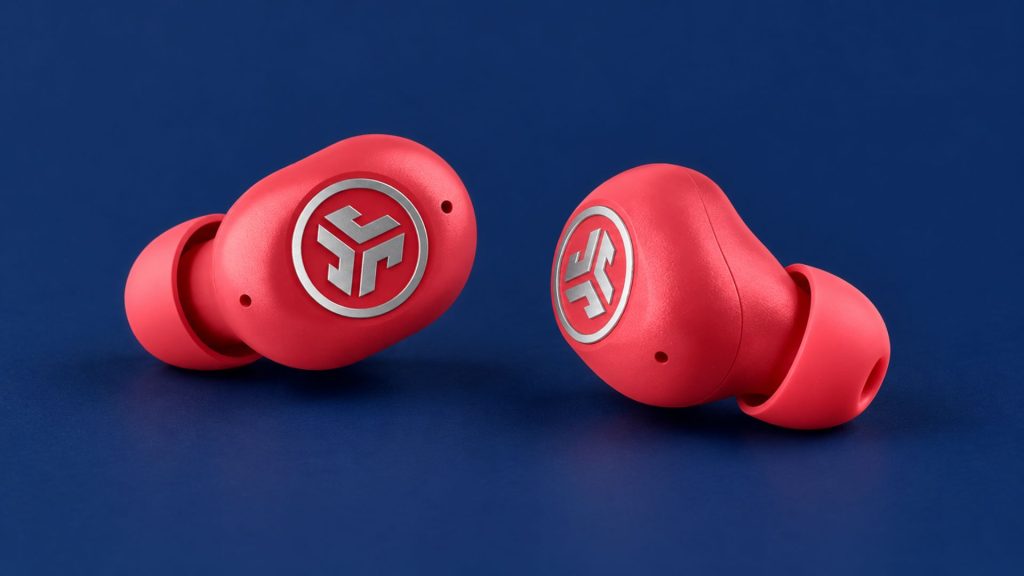
JLab puts an environmental noise-reducing microphone in each earbud. You can use both earbuds for calls or wear just one while leaving the other ear free.
Call performance depends on your surroundings. A microphone feature may help separate your voice from some background noise, but strong wind or nearby traffic can still make a conversation difficult. If calls are important to you, record a voice memo indoors and outdoors with the phone you normally use. Listen back instead of relying on a microphone claim.
Using one earbud at a time can also help when you want occasional audio while remaining aware of the room. Remember that wearing a single earbud changes how music sounds and how much outside noise you hear.
Check the IP55 Rating Before Workouts
JLab rates the JBuds Mini ANC IP55. The rating indicates protection against dust and limited water exposure, making the earbuds suitable for ordinary sweat and splashes during daily use.
IP55 does not mean waterproof. Do not swim or shower with the earbuds. The charging case should also be kept dry. If the earbuds get damp during a workout, wipe and dry them before putting them back in the case.
Fit matters during exercise as much as the rating does. Walk around and move your head with each tip size. Choose the size that stays secure without creating uncomfortable pressure.
How to Set Up and Troubleshoot the JBuds Mini ANC
When you first open the package, remove the pull tab from the charging case. JLab says the case and earbuds will pulse blue as they charge. Take the earbuds out to enter pairing mode, then select “JLab JBuds Mini ANC” from your device’s Bluetooth menu.
If one earbud does not charge, reseat it in the case and check the contacts. A pulsing blue indicator means the earbuds are charging. The JLab app shows separate battery levels for the left earbud, right earbud, and case. The case charges through USB-C.
If your phone displays the left and right earbuds as separate Bluetooth devices, JLab provides a reset sequence. Forget the JBuds Mini ANC in your phone’s Bluetooth settings. With the earbuds in their case, tap one earbud seven times and then tap the other seven times. Remove both and pair them again. Follow JLab’s reset guide for the exact indicators and steps.
For weaker ANC, inconsistent bass, or an earbud that slips out, return to the fit before resetting anything. A different tip size often addresses those symptoms. Our general headphone troubleshooting guide covers other common playback and connection problems.
Frequently Asked Questions
How Long Do the JBuds Mini ANC Last with ANC On?
JLab lists 5.5 or more hours per earbud and approximately 20 hours total with the case when ANC is on. Its 7-hour earbud and 25-hour total figures refer to playback without that continuous ANC use. Your volume and settings may change the results.
Can Apple Find My Locate Each Earbud?
No. Apple Find My works with the JBuds Mini ANC charging case only. It cannot individually locate a loose left or right earbud.
Do the JBuds Mini ANC Connect to Two Devices?
Yes. Bluetooth multipoint lets them maintain connections to two devices, such as a phone and laptop. Pair them in JLab’s recommended sequence, then select the correct audio output on the device you want to hear.
Can I Adjust the Noise Cancelation?
Yes. The JLab app lets you adjust ANC and Be Aware settings. Check the ear-tip seal as well, because fit affects how much outside sound reaches your ears.
Are the JBuds Mini ANC Waterproof?
No. Their IP55 rating provides resistance to dust, sweat, and splashes, but it does not make them suitable for swimming, showering, or submersion.
Final Thoughts
The JLab JBuds Mini ANC combine an exceptionally compact case with practical listening features. ANC, Be Aware mode, custom app settings, and multipoint make them adaptable across a commute, a workday, and a workout. Apple Find My support is useful for the case, provided you understand that it does not track individual earbuds.
Use the battery figures that match your habits. JLab’s headline rating is over seven hours per earbud and over 25 hours with the case, while its ANC-on figures are about 5.5 hours per earbud and 20 hours total. If you plan to leave noise cancelation on most of the day, the latter figures are the more relevant guide.
The most important first step is still fit. Try all three tip sizes, check for even bass, and wear the earbuds long enough to notice discomfort. Once they sit securely, the app gives you room to adjust noise control and sound to suit the places where you actually listen.